Ask any agency owner what takes the most time in their operations, and reporting always makes the top three.
Every month, someone on the team spends hours pulling data from Google Ads, Meta, the CRM, and whatever other platforms the client uses. They copy numbers into a template. They check formulas. They write summaries. They send the report.
Then they do it again for the next client. And the next. And the next.
By the end of the month, 20 to 30 hours have been spent building reports that should take 5 minutes.
Every agency owner knows this is inefficient. Most have tried to automate it. And most have failed.
Not because automation is hard. Because they automated the wrong thing.
Why Reporting Automation Fails
When most agencies try to automate reporting, they focus on the template.
They build a Google Sheet with formulas that pull data from the ad platforms using API connections. Or they use a reporting tool like Google Data Studio or Looker.
It works for a month. Then it breaks.
The Google Sheet formulas stop working because someone edited a cell. The Data Studio report shows zero data because an API connection expired. The Looker dashboard has the wrong numbers because a campaign name changed.
The team spends 2 hours troubleshooting. They fix it. It works for another month. Then it breaks again.
After 6 months of this, the team gives up on automation and goes back to doing it manually. At least manual reporting is predictable.
The problem is not the tools. The problem is what you are automating.
You cannot automate reporting if the data underneath is messy.
The Real Problem with Agency Reporting
Most agencies have reporting problems because they have data problems.
The data they need for reporting lives in 5 different places. Google Ads, Meta Ads Manager, the CRM, a Google Sheet someone made 2 years ago, and a tracking spreadsheet the account manager maintains.
None of those sources talk to each other. When you try to pull them into one report, the data does not match.
Google Ads says 150 conversions. The CRM shows 142 leads. The tracking spreadsheet has 138 qualified opportunities. The Google Sheet has 145 because someone manually updated it last week but forgot to include this week’s data.
Which number is correct? Nobody knows. So the person building the report picks the one that looks most reasonable and adds a note explaining the discrepancy.
That is not a reporting problem. That is a data integrity problem.
Until you fix the data, automating the report just means delivering bad numbers faster.
How to Build Reporting That Actually Works
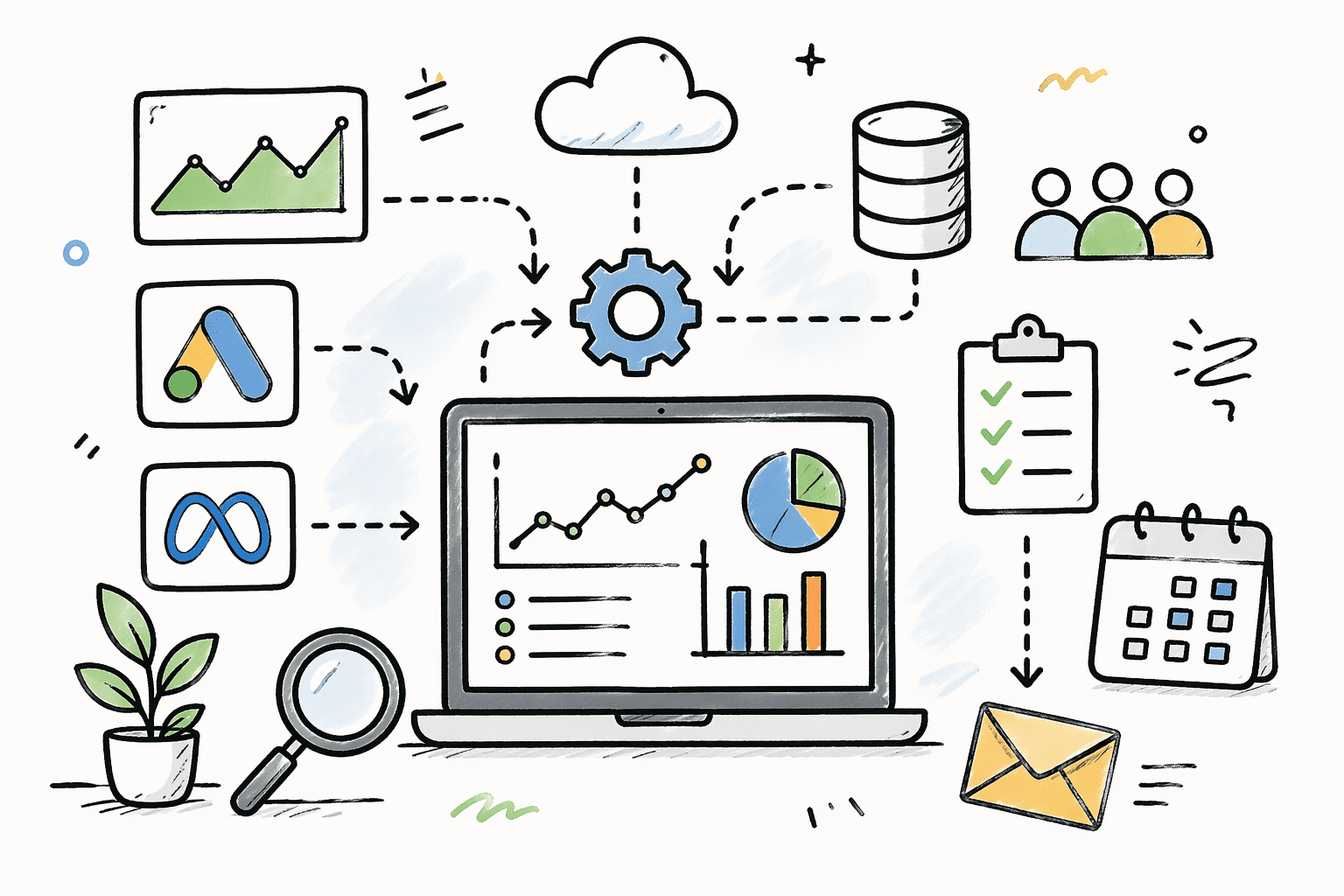
Proper reporting automation has three layers:
Layer 1: Single source of truth for all client data
Before you automate reporting, consolidate your data.
Pick one tool to be the source of truth. For most agencies, that is the CRM.
All client data flows into the CRM. Leads from ad platforms. Campaign performance metrics. Conversion data. Budget information. Everything that matters for reporting.
If a number exists in two places, one of them is wrong. Eliminate the duplicates. Make the CRM the only source.
Layer 2: Automated data pipelines
Once the CRM is the source of truth, build pipelines that feed data into it automatically.
When a lead comes in from Google Ads, it creates a CRM record with all required fields. Campaign name, ad group, keyword, cost per lead, conversion value.
When a conversion happens, it updates the CRM record. No manual data entry. No spreadsheets. Just data flowing from the source into the CRM in real time.
The key is validation. If a required field is missing, the pipeline stops and alerts someone. If a number does not make sense, the pipeline flags it for review. If data fails to sync, the pipeline retries three times then escalates.
This is where most agencies fail. They build the pipeline but skip the validation. So bad data gets into the CRM and breaks reporting downstream.
Layer 3: Automated report generation
Once clean data is in the CRM, generating reports becomes simple.
A workflow runs on the 1st of every month. It pulls the previous month’s data from the CRM. It calculates the required metrics. It writes the results to a report template. It sends the report to the client automatically.
No manual data pulling. No copying numbers into templates. No checking formulas. Just clean data flowing into a report that generates and sends itself.
If the data in the CRM is clean, the report is clean. If the data has issues, the validation layer already caught them before they reached reporting.
What This Looks Like in Practice
A social media agency came to us with exactly this problem.
They were managing 15 clients. Each client got a monthly report. The operations manager was spending 8 hours per month building those reports manually.
They had tried Google Data Studio. It worked for 2 months then started showing incorrect data. They could not figure out why so they went back to manual reporting.
We audited their data flow and found the issue immediately.
Their Data Studio report was pulling from three sources:
- Google Ads API for ad spend and clicks
- Meta Ads Manager API for social metrics
- A Google Sheet for conversion data
The Google Sheet was the problem. The account managers were supposed to update it weekly with conversion data from the CRM. Sometimes they did. Sometimes they forgot. Sometimes they updated the wrong month’s tab.
So the report had accurate ad data but inconsistent conversion data. And nobody knew the conversion numbers were wrong until a client pointed it out.
We fixed it in three steps:
Step 1: Made the CRM the source of truth
All conversion data moved into the CRM. When a lead converted, the CRM record updated automatically. No manual tracking sheets.
Step 2: Built automated data pipelines
Ad spend and click data from Google Ads and Meta flowed into the CRM automatically every day. Campaign name, budget, clicks, impressions, cost. All validated before writing to the CRM.
If a campaign was missing a required field, the pipeline alerted the account manager before syncing.
Step 3: Automated report generation
A monthly workflow pulled all data from the CRM, calculated metrics, populated the report template, and sent it to the client on the 1st of every month.
The operations manager’s job changed from building reports to reviewing exceptions. If a report flagged missing data or unusual numbers, they investigated. Otherwise, reports went out automatically.
8 hours per month dropped to 30 minutes per month.
The Three Mistakes Agencies Make with Reporting Automation
After rebuilding reporting systems for 100+ agencies, the same three mistakes appear everywhere:
Mistake 1: Automating before consolidating data
You cannot automate reporting if your data lives in 5 different places. Consolidate first. Automate second.
Mistake 2: Skipping validation
If your data pipeline does not validate data before writing it, you are automating the delivery of bad numbers. Add validation layers. Check for missing fields. Flag unusual values. Stop the pipeline if something looks wrong.
Mistake 3: Building in spreadsheets
Google Sheets and Excel are great for analysis. Terrible for automation.
Formulas break when someone edits a cell. References break when someone renames a tab. Calculations fail when someone sorts a column.
Move calculations into the automation layer. The spreadsheet should just be a data store. No formulas. No dependencies. Just clean data written by automation.
What Changes When Reporting Is Automated
When reporting runs automatically, three things happen:
1. Clients get updates on time every time
No more late reports because someone was busy. No more delays because the data was not ready. Reports go out on schedule automatically.
2. Your team stops wasting time on manual work
20 to 30 hours per month building reports becomes 30 minutes reviewing exceptions. Those recovered hours go into account management, strategy, or taking on more clients.
3. Data quality improves
When reporting is manual, data quality depends on whoever is building the report. When reporting is automated, data quality depends on the validation layer. And the validation layer does not forget to check things.
Your Next Step
If your team is still building client reports manually every month, the problem is not your reporting tool. The problem is your data infrastructure.
Book an Agency Systems Audit. We will show you exactly where your data is scattered, where your pipelines are missing validation, and how to build reporting that runs without anyone touching it.